Showing posts with label Google. Show all posts

Sunday, June 17, 2012

How Google Penguin Update Will Affect Your Blog ?


In April, Google launched the Penguin algorithm aimed to detecting and filtering out websites and blogs classified as ‘spam’ from its search results. A month later, Google released an update to the Penguin algorithm to identify and blacklist websites which violate its quality guidelines.
While implementing Search Engine Optimization (SEO) is a standard practice for websites and blogs, the Penguin update is aimed at scrutinizing over optimization and spamming. As a blog owner, if you’ve adopted over-optimization techniques, there’s a good chance that the Penguin update has already hit your blog.


Let’s try and understand what is the Google Penguin update and how does it affect you and your blog?


What is Penguin Update

Simply put, the Penguin update aims at identifying sites and blogs which use malpractices such as keyword stuffing and link spamming. The idea is to encourage bloggers to adopt white hat SEO techniques in order to build high-quality blogs with appealing visuals and stellar content.

At the same time, the Penguin update is likely to catch you in a net if you adopt black hat SEO techniques to promote your blog. Google says the Penguin update is an effort to detect ‘stuff in the middle’.

How does it affect you?


In general, if you follow Google’s quality guidelines, the Penguin update should cause no harm to your blog. However, if you actively pursue any of the following practices, there’s a good chance that your blog will be classified as ‘Spam’ by Penguin sooner than later.

  • Linking to unsafe & dangerous sites
  • Linking to low quality blogs
  • Backlinking to sources offering poor quality content
  • Linking to spam comments

In general, you should always link to trusted sites and blogs offering high-quality content.

Penguin Update classified my blog as Spam, what should I do?

Google admits that the Penguin update isn’t perfect and there may false positives. If you believe your blog has been unduly penalized by the Penguin update, Google recommends you fill this form and submit a spam report. Make sure to put the word ‘Penguin’ in your report. Once Google receives this report, they will scrutinize your blog/ site and provide you appropriate feedback.

Google recommends you use the above form only in case you’ve received a warning about the Penguin update’s implications for your blog.

Lessons from Penguin Update


Even if your blog hasn’t been affected the Penguin update, there are good lessons to be learnt. For a start, the Penguin update offers an insight that the SEO landscape is evolving and you need to keep up with the advancements to make the most of this opportunity. Secondly, it serves as a reminder that you MUST adhere to Google’s quality guidelines or else risk your and your blog’s future.

Has your blog been affected by the Google Penguin update? Do you think the Penguin Update is a step in the right direction by Google to streamline SEO? Please share your opinion by leaving a comment.

Friday, June 15, 2012

How To Get Free .com Domain Under Yourname.com


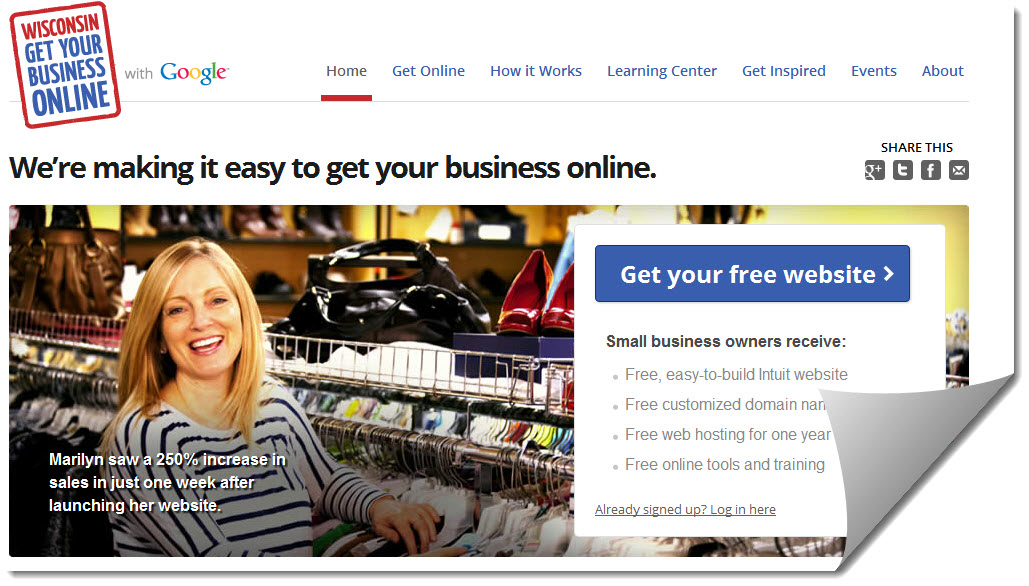
Recently Google have launched Wisconsin Get Your Business Online Program . Wisconsin Get Your Business Online is designed to make it easy, free and fast for any business to get online. Any small business program with small and limited resources and products can now get their business online with the world within few minutes for free. Yes you got it right , you are going to bring your business online for free.
You don’t have to pay anything for this. It is provided by Google. Google partnered with Intuit Company, the Association of Small Business Development Centers, SCORE, and Meetup and they are hosting for free to help small business owners to to get started with their own basic .com website. The project is launched as WisconsinGetOnline (Wisconsin Get Your Business Online). This is a free program from Google. You can get signup for it from any country and get your business online easily and fast.
They are providing following things with free.com domain :
  • Free, easy-to-build Intuit website
  • Free customized domain name
  • Free web hosting for one year
  • Free online tools and training
  • A free customized domain name and hosting
  • $75 in Google AdWords credit
After reading about information and the features provided by it , you might be interested to get your own free.com domain. So now I am going to show you how to get your .com domain for free.  Let’s begin the process.

Easy way to get Free .com Domain name registration for 1 year :

  • At first you need to Go to Wisconsin homepage via this link and there you need to click on GET YOUR FREE WEBSITE button.
  • Now you need to Sign up for your free Intuit website. Then you will get following screen.
Free Intuit Website

  • If you have Google account then you can sign in with it else sign up for a Google account and then sign in with that account.
  • Allow access to it and then click on Continue button.
  • Next you need to you intuit websites password. Fill the details and accept term and conditions and click on continue button.
Domain for Free


  • Then you will be redirected to Intuit Website to register a free .com domain name. Click continue as shown in the above screenshot. Then you will get the following screen.
Getting started


It contains three steps. Select first one i.e – Choose a domain (www.yourname.com) for your website. You will get the following screen. If you are not sure, what domain name you should buy, I suggest you to read how to select great domain name for business & 5 domain name suggestion tools.
 Get a Free Domain Name

 Since you are registering a new domain name so , make sure that the domain name you are going to register is available. You can do this by entering your desired domain name under “Get a New Domain” and clicking on Check Availability  button. If it is available then you will be presented with following screen.
 Domain center

Now all you need to do it click on Get Domain button. Then you will be asked to enter your contact information as shown in the belwo screenshot.


domain contact Info

Enter your contact information and click on Save & Continue button. Then you will be ask to review your information. Review it , agree to the terms of service and  click on submit button.  Note : You must uncheck the Yes (Recommended) option for domain privacy because if you check it you have to pay $1 per month.
As soon as you submit it for review you will get a pop up page asking for your Billing Information. They are asking this to protect against fraudulent activities. Though your website and .com domain name are free but they still need your billing information. Enter your address details and debit/credit card information in this page. Now the real problem comes. Many of us don’t have a real debit/credit card, so to solve this problem you need to create a virtual visa credit card. You can create a virtual visa from Entropay.com. Note : You can also use other websites to create virtual visa. If you don’t want to create virtual visa then use the following virtual visa details to fill the payment options and you will be able to purchase your domain for free.
  • Name on card : Jackie Chan
  • Card type : Visa
  • Credit card number : 4067424695632061
  • Expiration date : 12-2012
  • Card security number : 279
 Test Credit Card

Now just enter your virtual visa details in the payment page and click on purchase button. Now you have successfully created your website with a free .com domain name registration. It may take an hour to activate. After it is activated, you can use their website builder to create a new website or just change the name servers by going in the domain manager to use with other webhost.
I hope this tip would help you to save some money and increase your online presence. If you find this post useful, don’t forget to share it on Google plus and Facebook.

Tuesday, May 8, 2012

Google Penguine And Google Panda Panalty...

As we all know, Google is a pioneer, and the world leader in internet search. It owns around 2/3rd (66%) of the shares in the industry at the time of this writing, making it bigger than any other internet company. It has been around for quite some time now, and has been updating its search functionality regularly. Since the past few years though, we have seen some radical changes in its search model. For example, it was only last year that the dreaded Panda update was unleashed onto the world! And these days, everyone is talking about the new Penguin update that rolled out just a few days back. Head of Google's web-spam team, Matt Cutts tweeted a picture of a stuffed penguin along with a stuffed panda. How cute :). Or is it?


Some people would agree. But many will say quite the contrary. These animals are supposed to give out a friendly image about the updates. They are monsters in disguise though! Many websites have been punished and penalized by these two. So what actually are they all about? And how do they effect websites?

 So why are these updates needed?

If this is about any one thing, it's about Quality Content vs Search Engine Optimization (SEO). The concept of SEO has evolved ever since search engines like Google have come along. SEO is good. It allows you to take your website ranking to a higher level. But that's precisely where the problem lies. You see, it provides a shortcut where you can skip writing quality content, and still be able to take the low quality content to a high ranking. In late 90s and early 2000s, when Google was still newborn, some webmasters started doing just that. They would spare themselves the trouble of writing good quality content, and would learn SEO tricks instead, which brought their poor quality content to the top.
Through he years, search engine optimizers kept at it. Google has been constantly improving its search module, but these people learned to duck and dodge everything Google had to throw at them. Fundamentally, this practice defeats the basic goal of Google, which is to provide good quality content to readers, instead of bogus websites that spam the web and gain the high ground in SERPs (Search Engine Results Pages). Hence, the need for an advanced screening mechanism which would let quality through but not spam content.

Although Google has been implementing such a filter throughout the past few years, it only rolls out major algorithm updates once a year. Google Panda was just such an update last year. And may I say, it was the deadliest update yet. The major update for this year is the Google Penguin update, and it looks relatively less harmful than Panda, although it still has effected a lot of websites. So basically, these updates are aimed at promoting quality and filtering out spam.

Google Panda

Google unleashed the Panda on Feb 24 2011. And immediately, it made its mark and hit so many blogs and websites that the entire ranking structure was shaken, with new websites coming at the top while some old established websites dipping down. According to Google, it was aimed at filtering "thin or low quality content". Since its launch, Google have made changes to it 13 times as of 20th April 2012. And a total of 12% websites have been effected by this update.
Google panda

Google Penguin

Google Penguin is another installment in Google's arsenal of weapons to be unloaded onto the online world. This was introduced on 24th April 2012. Again, it aimed at discouraging / punishing spam websites. By far, it has effected about 3% of the websites. Prior to its release, Google said;

In the next few days, we’re launching an important algorithm change targeted at web spam. The change will decrease rankings for sites that we believe are violating Google’s existing quality guidelines. We’ve always targeted web spam in our rankings, and this algorithm represents another improvement in our efforts to reduce webspam and promote high quality content. While we can’t divulge specific signals because we don’t want to give people a way to game our search results and worsen the experience for users, our advice for webmasters is to focus on creating high quality sites that create a good user experience and employ white hat SEO methods instead of engaging in aggressive webspam tactics.

Google Penguin

Panda and Penguin penalty

Once again, these updates are aimed at punishing spam websites, although there could be a lot more reasons for the updates to hit your site. Sites that are hit have seen a demotion in their Google PageRank, and their traffic has dipped, while sites that have benefited from this update have seen a soar in their traffic. The saying "One man's gain is another man's loss" never seemed more appropriate.

Why have you been effected ?

There can be many reasons why you got hit. But the exact factors are known only to Google insiders. Google doesn't disclose this information, because if they do, search engine optimizers would grab on to those points and cheat Google once again. So Google does not give out the precise details, thank you very much. Here are, however, some probable causes as to why you took a hit.
  • Over optimization - This is very important. People who don't have quality content over optimize their websites. So you should do what is necessary, and no more! 
  • High keyword density - This is like calling out loud to search engines; "check me! check me! I have the most keywords!". And they don't like it when you call them. Using excessive keywords is also a form of spamming, since you are seeking for search engines' attention. In the past, pages were ranked according to the number of keywords they had. Not anymore though. Always keep that in mind. 
  • Virus and malware - People simply hate it when they land on a website infected with a virus. And so does Google. Having a virus on your site, or even having too many spam or bot scripts can trigger the alarm bells for Google. Please review your website regularly from now on. 
  • Lack of user experience - Now this is very crucial, and Google has been stressing on this a lot lately. Pleasing the search engine is one thing. Pleasing the visitors is another. Even with adequate SEO, a website that lacks a good user experience might have been hit by Google. 
  • Duplicate / copied content - Yeah you think you are making things easier for yourself when copying content, but actually, you aren't. In fact, quite the contrary, you are axing your own feet. Google hates it when it finds duplicate content on your website. Never copy from another source, and never use redundant content.
  • High Bounce Rate - Make sure to reduce the number of banners and other heavy graphics as much as possible to make sure your site loads faster. Slow loading blogs are hated by visitors and so by Google. Do not reduce the size of the page so much that it may begin looking dull and grey. Be creative yet smart!
These were some of the tips we had for you. This is the first post in a series that looks into these updates from Google in more detail. We will discuss reasons for failure (in more detail), how to avoid them, and best practices. We also hope to prepare you for the next major Google update. So stay tuned, and give us your feedback in the comment section below.

Sunday, May 6, 2012

Google Drive “the long awaited rumor” is Now Live.

 
Google finally made Google Drive official, After years of rumors and over hyped features circulating internet boards.. Google finally made it all happen.
Earlier this day, Google mistakenly (I highly doubt that) leaked the Google Drive details on it French Blog.. Which didn’t stay long but as you expected Blog viewers copied it as soon as it was posted and it was all over the internet within seconds.. Probably this forced Google to officially announce the product today itself.
Google drive gives you another reason to throw your stuff on/in the cloud. The service comes with a 5GB free storage to all users and the paid storage plans are as follows:


  • 25GB of space for $2.49 a month. 
  • 100GB for $4.99 a month.
  • 1TB for $49.99 a month.
  • Also upgrading to a paid account will expand your Gmail storage to 25GB.
Google Docs is hard coded into Google Drive with functionality in Google Drive that will allow users to work with others in real-time, and includes the ability to share content with others, add and reply to comments, and receive notifications for new comments on documents or files.
Searching for files in Google Drive is simple (ought to! Guess what Google was actually made for?) by entering the keyword you can search for files in the Drive also you can set filters. Another interesting feature is the ability to read text from Scanned docs.
Users can attach photos to Drive to posts in Google+, and will soon be able to attach files from Drive directly to emails in Gmail. Google also says that Drive is an open platform, and that it is working with third-party developers to allow users to “send faxes, edit videos, and create website mockups directly from Drive.”
Google Drive is now available on the following platforms : PC, Mac, Android. iPhones and iPads will be compatible soon.

Although if you are still in the dilemma of moving out of Dropbox for Google Drive just because it offers 3GB extra space, Then you should check this out.
Google Drive is expected to give a tough competition to Dropbox and Apple iCloud mainly because of these reasons, Google Drive is offering more Free storage than Dropbox and that Google Drive is not a platform exclusive service unlike Apple iCloud which is only for iOS users.
Enjoy Google Drive here : Google Drive.

Friday, May 4, 2012

Earn Money By Using Google Affiliate


Blogger is one of the most popular publishing platforms available for anyone who wants to voice their thoughts and opinions on the internet. You can also use blogs to earn money online. If you are a Blogger users, then here is a brand new opportunity for you to earn some extra cash right from your Blogger blog! Google has very recently announced another monetization option for Blogger blogs, i.e. the brand new Affiliate Ads!

The Google Affiliate Ads is a new Affiliate Marketing concept by Google, and a positive initiative towards benefiting publishers who are passionate about certain brands or products. Google says, "We believe your recommendation (about products and services) is valuable, and want you to benefit from it". Therefore, here is your chance to try out your hands at this latest Affiliate Marketing tool!


What Is Affiliate Marketing ? 


In the most simplest terms, Affiliate Marketing refers to the promotion of services or products through customers. It works like this: I buy a certain product, and then recommend it to you. Then you buy that product too through my 'referral'. In that case, the product's company will pay me, an 'affiliate', a certain amount of your purchase, as a 'commission'. If you refer other people, then you will get the commission, and so on.

Affiliate Marketing

Most popular affiliate ad marketing companies include BuySellAds, ClickBank, Amazon etc. In fact, most of the companies nowadays are offering affiliate programs to anyone willing to join. It's high time that Google do the same. This was a much awaited feature among bloggers.


About Google Affiliate Ads

This great new feature has been introduced in the form of a widget, which you can easily add to your blog posts to earn money. Whenever you write a new post about a product or service from a featured advertiser, this Google Affiliate Ad widget will help you display an affiliate ad on your post. You can choose a relevant ad from the widget. This ad can be a text-link ad, an image or a fully fledged banner.

Google Affiliate Ads

This feature is different from the pay-per-click model for AdSense Ads. Since Affiliate Marketing is all about the performance of the affiliates, this scheme pays on a par-per-action basis. Thus, you get a greater commission for a larger number of referrals that you make.


Get Started

Before getting started, you need to make sure that you have an AdSense account. If you don't have one, Google AdSense. You do not need to set up AdSense Ads for this program. Just sign in using your AdSense account.

Once signed up, go over to your blogger homepage, and click on the Earnings tab. There, you will find an option Get Started. You will be guided through the rest of the process. It's that simple really! Browse through available ad categories to pick an ad for your blog.

Here is a preview of the Google Affiliate Ads


Limitation 

Since Google Affiliate Ads is a brand new program, it is still in its initial stages. Currently, the number of ad categories is limited. So if you don't see the select ad option, the maybe it's because your blog content does not match the ad categories. Google is working on expanding their reaches, so be patient please!

Secondly, this service is currently limited to the U.S. People outside of U.S. can't use this feature as yet. But then again, it's fresh feature, and will take time to mature. We are expecting Google to extend this limit to more countries in the near future.

If this feature is not available to you, don't worry. It will be made available very soon. We will notify you of any updates that Google makes.


Conclusion  


Overall, we think that this is a great new initiative by Google that not only allows people to earn more money through Blogger, but also allows them to connect with their audience by selling products, as affiliate marketing is all about connecting with people and performance-based marketing. Do let us know about what you think about this exciting new feature. And for those who have this advertising option available, good luck with it For others, stay tuned.

Saturday, April 28, 2012

Follow By E Mail Gedget


Today in early time, blogger released an important gadget, “Follow by Email”, this gadget allow your readers to subscribe to your blogs updates by e-mail and get the latest updates and posts delivered to their Inbox.
What is this gadget features


The New Gadget Features.
Simple to add and use with only few clicks.
Delivering your blog’s posts and updated to your readers mail inbox.
Detailed stats about your number of subscribers and daily views.


How To Add It.
Just log into your blogger dashboard >>> design >>>and in page elements click Add A Gadget, and you will find the new “Follow by Email” gadget listed at the top of the gadgets page.when you click on “Follow by Email” link, you’ll see a new window like the above image,
Give it your prefered title, and leave the Feedburner as it is. then click Save,
and you can enjoy your new gadget,